


Do trekking poles work as an emergency antenna support for a handheld GPS?
Yes—a trekking pole can serve as an effective emergency antenna support for a handheld GPS. This is a useful hack when you're in dense tree cover, a deep valley, or a steep-sided gorge where satellite reception is poor. By elevating the GPS above ground clutter and your own body, you can significantly improve signal acquisition and fix times. This article explains the theory, provides a step-by-step guide, and discusses the limitations and safer alternatives.
Why elevation matters for GPS reception
A handheld GPS receiver needs a clear line of sight to multiple satellites to calculate a position. When you are in a forest, surrounded by wet foliage, or in a valley with steep sides, the signal from satellites is weakened or blocked. Your body also acts as an obstacle, blocking signals from satellites behind you.
Elevating the GPS by even one to two metres can make a substantial difference for three reasons:
- Increased horizon visibility: A higher position allows the GPS to "see" more of the sky, including satellites that are lower on the horizon.
- Reduced ground clutter: Wet leaves and branches absorb GPS signals. Elevating the device above the surrounding canopy can reduce this attenuation.
- Reduced body masking: When the GPS is held at eye level, your head and torso block a smaller fraction of the sky than when it is held in your hand at waist height.
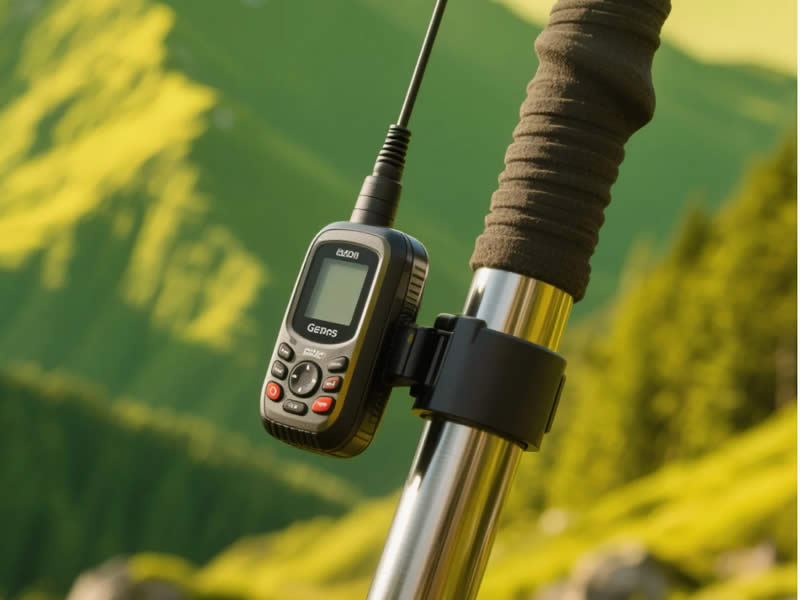
A trekking pole, extended to 1.2‑1.5 metres, provides an instant, lightweight elevation platform.
How to use a trekking pole as a GPS antenna support
1. Attach the GPS to the pole
You have several options for securing the GPS to the pole:
- Use a rubber band: A thick rubber band or a hair tie can wrap around the pole and hold the GPS securely. This is quick and doesn't require any tools.
- Use a Velcro strap: A reusable strap is more secure than a rubber band and can be adjusted easily.
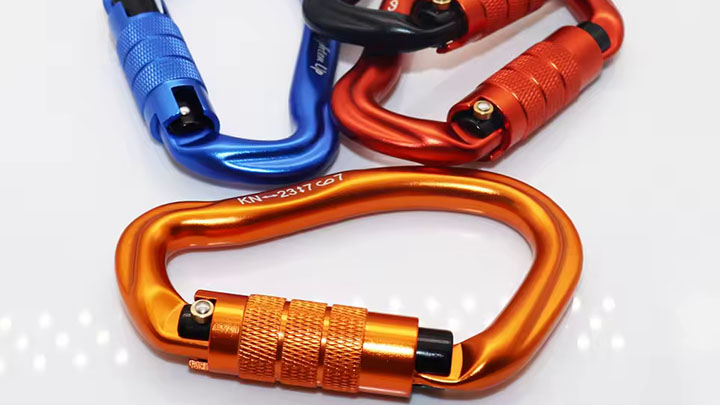
- Use a small carabiner: Thread the carabiner through the GPS's lanyard hole (almost all handheld GPS units have one) and clip it around the pole. This is a quick, secure, and easily reversible method.
- Use tape: In an emergency, you can tape the GPS to the pole using duct tape, electrical tape, or even a strip of cloth.
Important: Ensure the GPS is attached securely. A dropped GPS on a rocky slope is a expensive mistake.
2. Extend the pole fully
Collapse the pole to its shortest length to give you the maximum height. If your pole is telescopic, extend all sections to their full length. If you have a folding Z‑pole, deploy it fully.
3. Plant or hold the pole
- Planting: If the ground is soft, plant the pole firmly into the ground. This gives you a free hand and allows you to walk away from the GPS while it acquires satellites.
- Holding: If the ground is hard, hold the pole upright. Keep it as vertical as possible. A slight tilt will reduce the elevation and could cause the GPS to swing.
4. Stabilise the pole (if needed)
A planted pole can sway in the wind. If you need a long‑term fix (e.g., for a survey or a geo‑caching session), stabilise the pole using a guy line.
- Method: Tie a length of cord to the top of the pole (or to the wrist strap). Anchor the cord to the ground using a tent peg, a stone, or a heavy object. This creates a tripod-like stability.
5. Wait for the fix
Leave the GPS in place for 5‑10 minutes to allow it to acquire a solid lock. Do not move the pole during this period—any movement will cause the GPS to recalculate its position.
Important caveats and safety warnings
1. Lightning hazard
Do not use a metal pole as an antenna support during a lightning storm. A metal pole acts as a lightning rod. Even a carbon fibre pole, while non‑conductive, can be a serious hazard if it attracts a lightning strike. If there is any thunder or lightning within 10 km, collapse your poles and wait for the storm to pass.
2. Pole sway
A planted pole can sway in the wind, causing the GPS to move. This can interfere with the signal acquisition. If possible, hold the pole steady with your hand.
3. Not a permanent solution
This is an emergency measure. For long‑term use, a dedicated GPS mount (that clamps to the pole) or a small, lightweight tripod is far more reliable. These provide a stable, vibration‑free platform.
4. GPS mounting
If you attach the GPS using a carabiner or a rubber band, the device can swing and rotate, which can also affect the signal. A Velcro strap that holds the GPS firmly in place is the most reliable option.
5. Signal from the pole
If your pole is made of aluminium, it is conductive. While it won't significantly block the GPS signal (which is in the 1.2‑1.5 GHz range), it could have a small effect on the antenna pattern. Carbon fibre and fibreglass poles are non‑conductive and are slightly better for this purpose, but the difference is minimal in practice.
Better alternatives
1. Dedicated GPS mount
Brands like RAM Mounts and Garmin sell mounts that clamp to a trekking pole or a bike handlebar. These provide a rock‑solid, vibration‑free platform and are easy to attach and remove.
2. Selfie stick
A standard selfie stick (or a small monopod) is an excellent emergency antenna support. They are lightweight, compact, and often have a standard 1/4"‑20 screw mount that fits most GPS units and smartphones.
3. Lightweight tripod
A compact, lightweight tripod (like a Joby GorillaPod) provides a stable, hands‑free platform for a GPS or a smartphone. It can be set up on a flat surface or wrapped around a tree branch.
4. External antenna
For serious users, an external GPS antenna (with a magnetic mount) can be attached to a trekking pole. This gives you a much stronger signal than the internal antenna alone.
Summary table
| Method | Effectiveness | Ease of Use | Safety | Best For |
|---|---|---|---|---|
| Trekking pole + rubber band | Good | High | Moderate (lightning risk) | Emergency use |
| Dedicated GPS mount | Excellent | High | High | Long‑term use |
| Selfie stick | Good | High | High | Quick, temporary use |
| Lightweight tripod | Excellent | Moderate | High | Stationary use |
| External antenna | Excellent | Low | High | Professional or frequent use |
The verdict
Yes, a trekking pole can work as an emergency antenna support for a handheld GPS. By elevating the GPS by 1‑1.5 metres, you can significantly improve signal acquisition in dense tree cover or deep valleys. The method is simple: attach the GPS using a rubber band, Velcro strap, or carabiner; extend the pole; and plant it in the ground or hold it vertically. However, it is a temporary fix, not a replacement for a dedicated mount or a proper antenna. Be aware of the lightning hazard and avoid using a metal pole in a storm. For regular use, invest in a purpose‑built GPS mount or a small tripod. With a little preparation, your trekking pole can be a valuable emergency tool for getting a GPS fix when you need it most.